Importing Products from AstuteFSE
Overview
The Policies & Investments section within the Financial Planning tab allows policy and investment products to be imported directly into a client record. Products can be imported from either a JSON file or an Astute Financial Services Exchange (AstuteFSE) XML export. This automatically creates the products contained in the XML file and links them to the client.
Importing an AstuteFSE XML File
- Access the client's profile in the CRM.
- Navigate to the Financial Planning tab.
- Open Policies & Investments.
- Select AstuteFSE XML from the Import Data dropdown.
- Upload the XML file exported from AstuteFSE.
- The CRM will automatically create all supported products contained in the XML file.
Obtaining the XML File from AstuteFSE
- Open AstuteFSE.
- Request the client's policy data.
- Navigate to the client's Policy Summary page.
- Locate the Download XML button in the top-right corner:
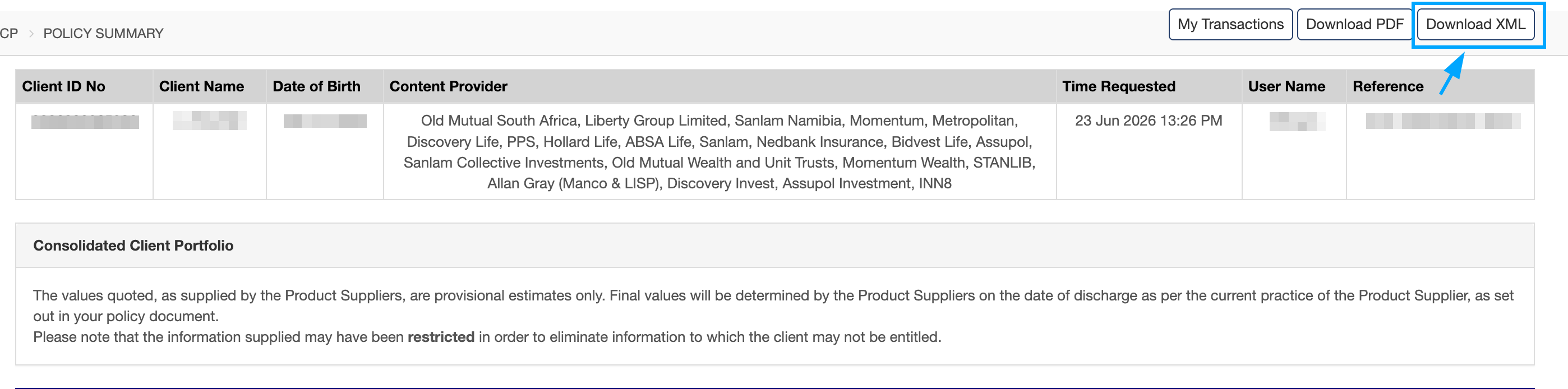
- Download the XML file.
- Use this file when importing data into the CRM.
Import Data Options
- JSON File - Import policy and investment data from a JSON file.
- AstuteFSE XML - Import policy and investment data from an AstuteFSE XML export.
Important Notes
- Astute policy data can vary significantly in structure and formatting between providers and products.
- Most products will be imported automatically when a valid XML file is uploaded.
- In some cases, certain products may not be imported successfully due to differences in XML data formats.
- If products are missing after an import, please contact support and provide the relevant XML file. We can then review the XML structure, make the necessary updates, and assist with loading the affected products.